
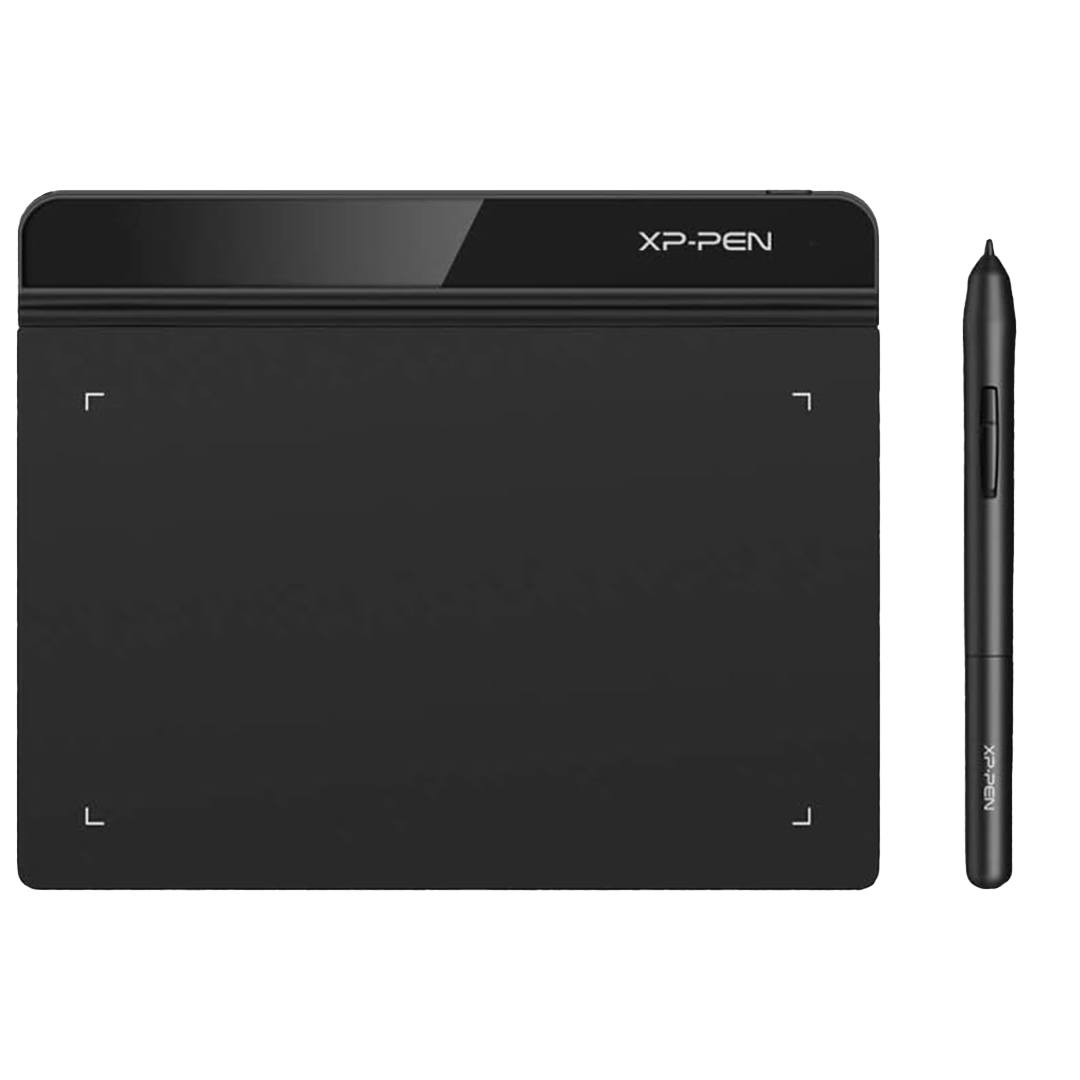
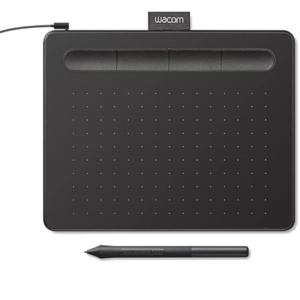
XPPen Star G640 6×4″ Drawing Tablet
$498.00
Availability: In stock
XPPen Star G640 Drawing Tablet | Battery-Free Pen, 8192 Levels
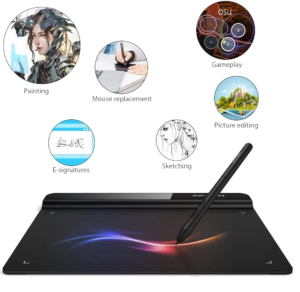
Need a light tablet for digital art or work? The XPPen Star G640 gives smooth, precise input. First, it uses a battery-free stylus for endless use. Because it needs no charging, your flow stays unbroken. Also, 8192 pressure levels make every stroke feel natural. Moreover, the slim 2mm design fits easily in any bag. Consequently, you can draw, teach, or sign from anywhere. Finally, it works as a fast mouse upgrade for daily tasks.
Key Features & Real Benefits
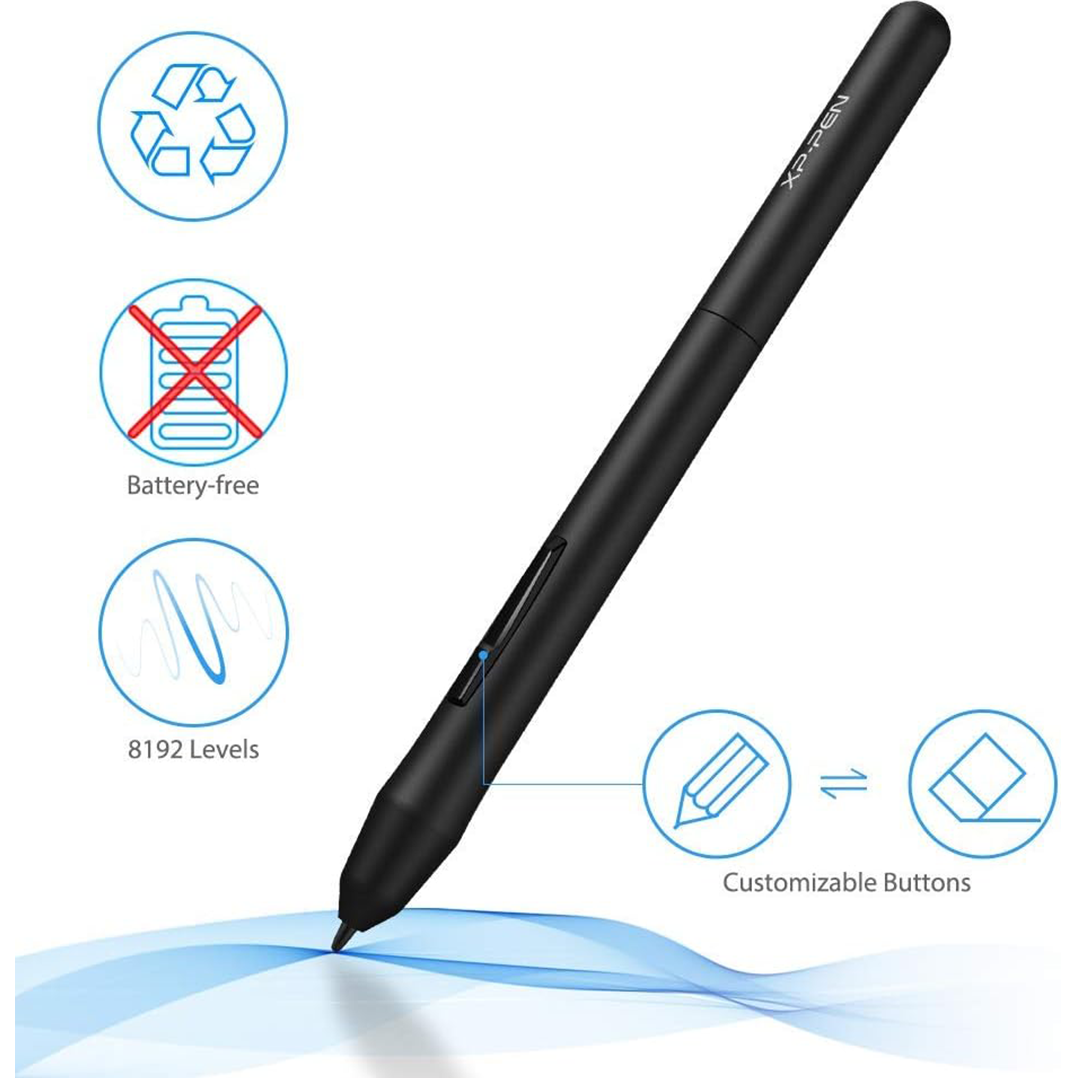
- Battery-Free Stylus – Draw or write for hours without breaks. As a result, your creative flow never stops.
- 8192 Pressure Levels – Enjoy smooth, accurate lines for art and notes. So, your work looks sharp and detailed.
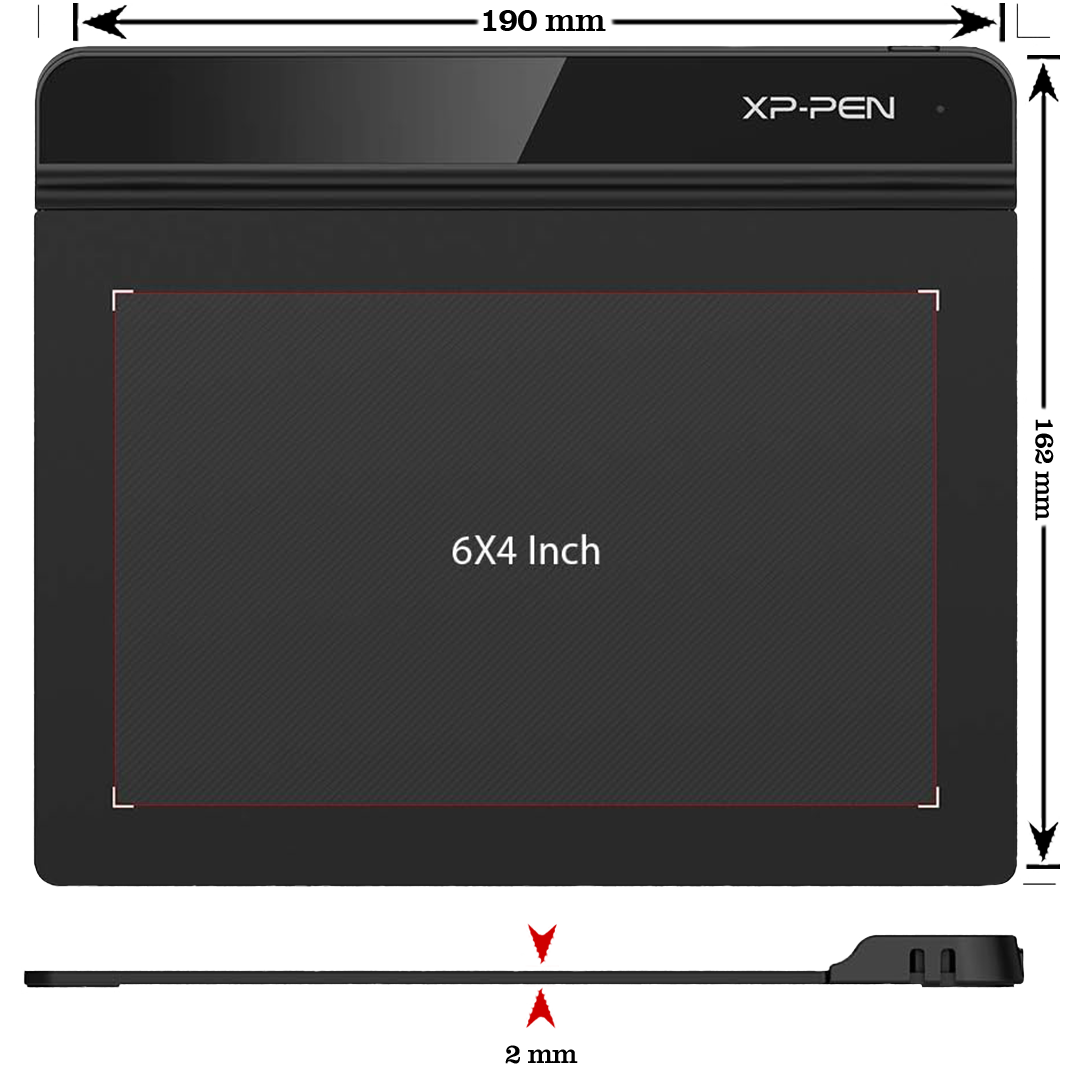
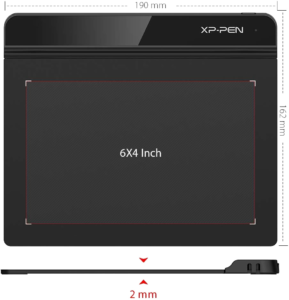
- Ultra-Slim 2mm Design – The light build slips right into your laptop bag. Therefore, travel and daily carry feel easy.
- Wide Device Support – It runs on Windows, Mac, and Chromebooks. Plus, setup takes just a few minutes.
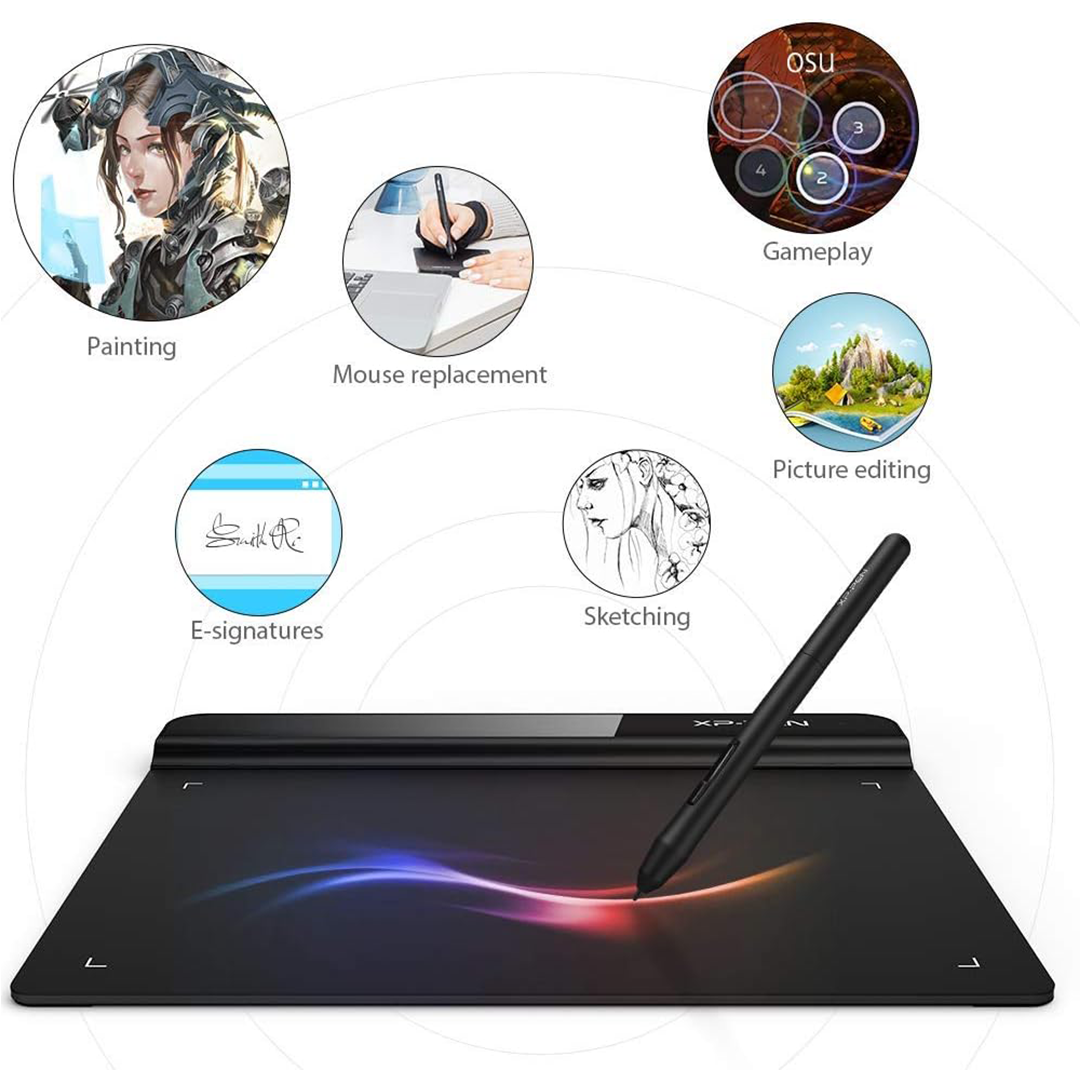
- Boost Daily Productivity – Sign PDFs, edit photos, or navigate Zoom with ease. Because of this, mouse strain drops quickly.
- 6×4 Inch Active Area – This size gives ample space for precise control. Moreover, it saves desk room for notes or coffee.
Ideal Use Cases
Digital Artists – Sketch ideas, paint, or edit photos fast. Since pressure sensitivity is high, lines feel natural.
Online Teachers – Write notes or solve problems on screen. Because it connects via USB, lag stays near zero.
Remote Workers – Sign documents and mark up files quickly. Therefore, your daily admin tasks finish faster.
Students – Take digital notes or join art classes. Also, the low cost fits tight student budgets.
Technical Specifications
| Feature | Detail |
|---|---|
| Brand/Model | XPPen Star G640 |
| Active Area | 6 × 4 inches |
| Pressure Levels | 8192 |
| Pen Type | Battery-free stylus (no charging) |
| Connectivity | USB-C to USB-A cable |
| Compatibility | Windows 7+, macOS 10.10+, Chrome OS 88+ |
| Thickness | 2mm ultra-slim |
| Weight | ~0.26 lbs (lightweight) |
| Color | Black |
| Software Support | Works with major art & office apps |
Why Choose This Tablet?
Creators and professionals trust XPPen for reliable gear. Indeed, the Star G640 blends speed, portability, and value. Because it uses a precise battery-free pen, input feels instant. Moreover, the compact size saves desk space. As a result, you stay organized and focused. Also, wide OS support means it fits your current setup. Therefore, setup takes minutes, not hours. Finally, the low price makes it a smart first tablet.
Setup & Care Tips
- Plug the USB cable into your computer. Then, install the free driver from XPPen’s site.
- Map the pen buttons in your app settings. Because custom shortcuts save time, adjust them first.
- Keep the active surface clean with a soft cloth. So, the pen glides smooth and fast.
- Store the tablet flat to prevent bending. Plus, keep the pen away from direct heat.
- Test pressure levels in your drawing software. Therefore, you get the best feel right away.
Frequently Asked Questions
Q: Does the pen need batteries?
A: No. Since it is battery-free, you never need to charge or replace cells. So, it works right out of the box.
A: No. Since it is battery-free, you never need to charge or replace cells. So, it works right out of the box.
Q: Can I use it with an iPad or Android?
A: No. It only supports Windows, Mac, and Chrome OS. However, it works well with laptops and desktops.
A: No. It only supports Windows, Mac, and Chrome OS. However, it works well with laptops and desktops.
Q: Is it good for beginners?
A: Yes. Because the setup is simple, new users start drawing fast. Therefore, it is a top pick for students.
A: Yes. Because the setup is simple, new users start drawing fast. Therefore, it is a top pick for students.
Q: Does it work with Zoom or Teams?
A: Yes. You can use it as a digital whiteboard. Plus, it acts as a precise mouse for presentations.
A: Yes. You can use it as a digital whiteboard. Plus, it acts as a precise mouse for presentations.
Q: Can I upgrade to a bigger tablet later?
A: Yes. The skills transfer easily to larger XPPen models. So, this pad is a perfect starting point.
A: Yes. The skills transfer easily to larger XPPen models. So, this pad is a perfect starting point.
Q: How do I calibrate the pen?
A: Use the XPPen driver to adjust screen mapping. Because calibration takes seconds, accuracy stays high.
A: Use the XPPen driver to adjust screen mapping. Because calibration takes seconds, accuracy stays high.
Drivers and Support
| Weight | 1.5 lbs |
|---|---|
| Dimensions | 11 × 9 × 5 in |
Only logged in customers who have purchased this product may leave a review.
Related products
-
Amazon Fire HD 10 Lilac 32Gb
$1,098.00

Reviews
There are no reviews yet.