
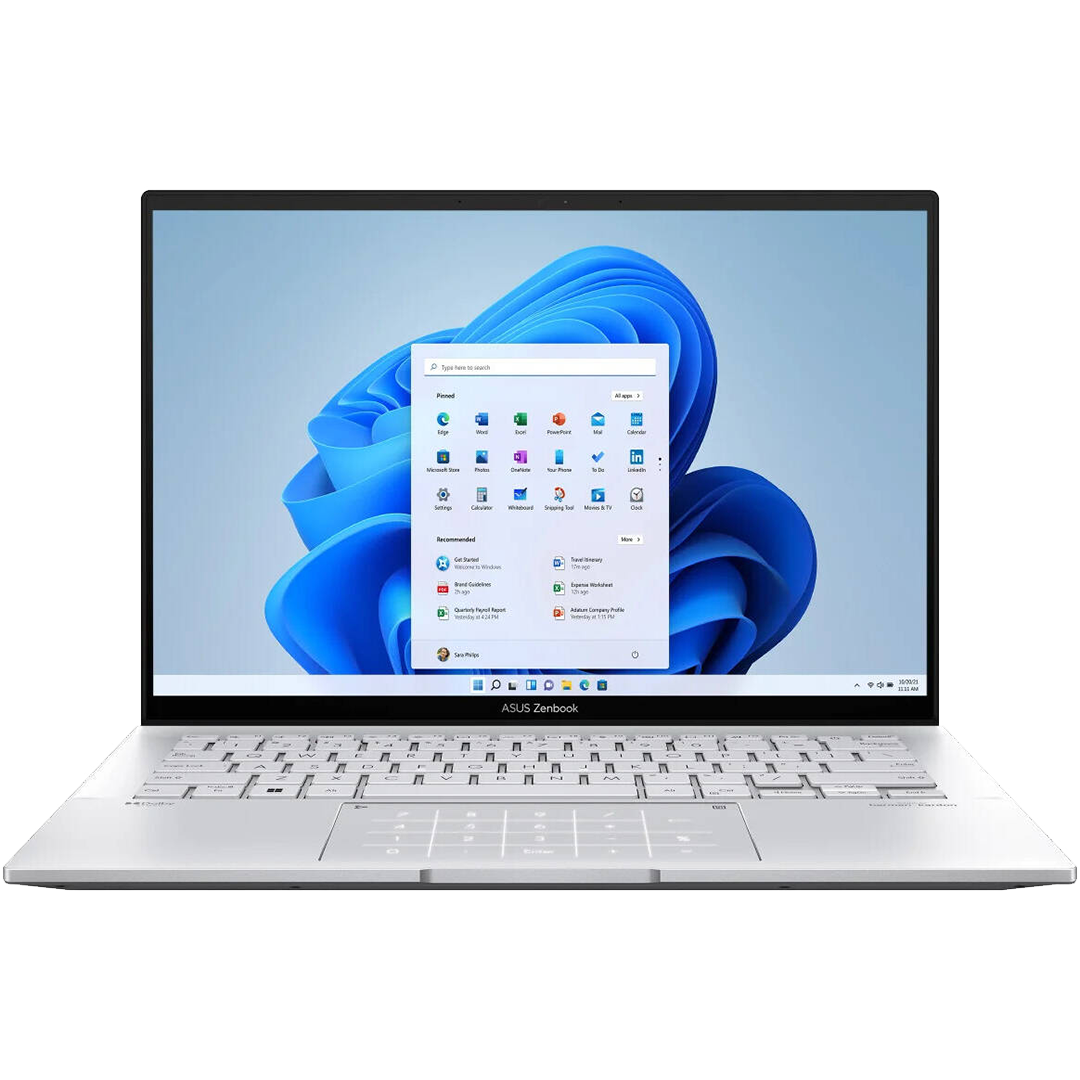
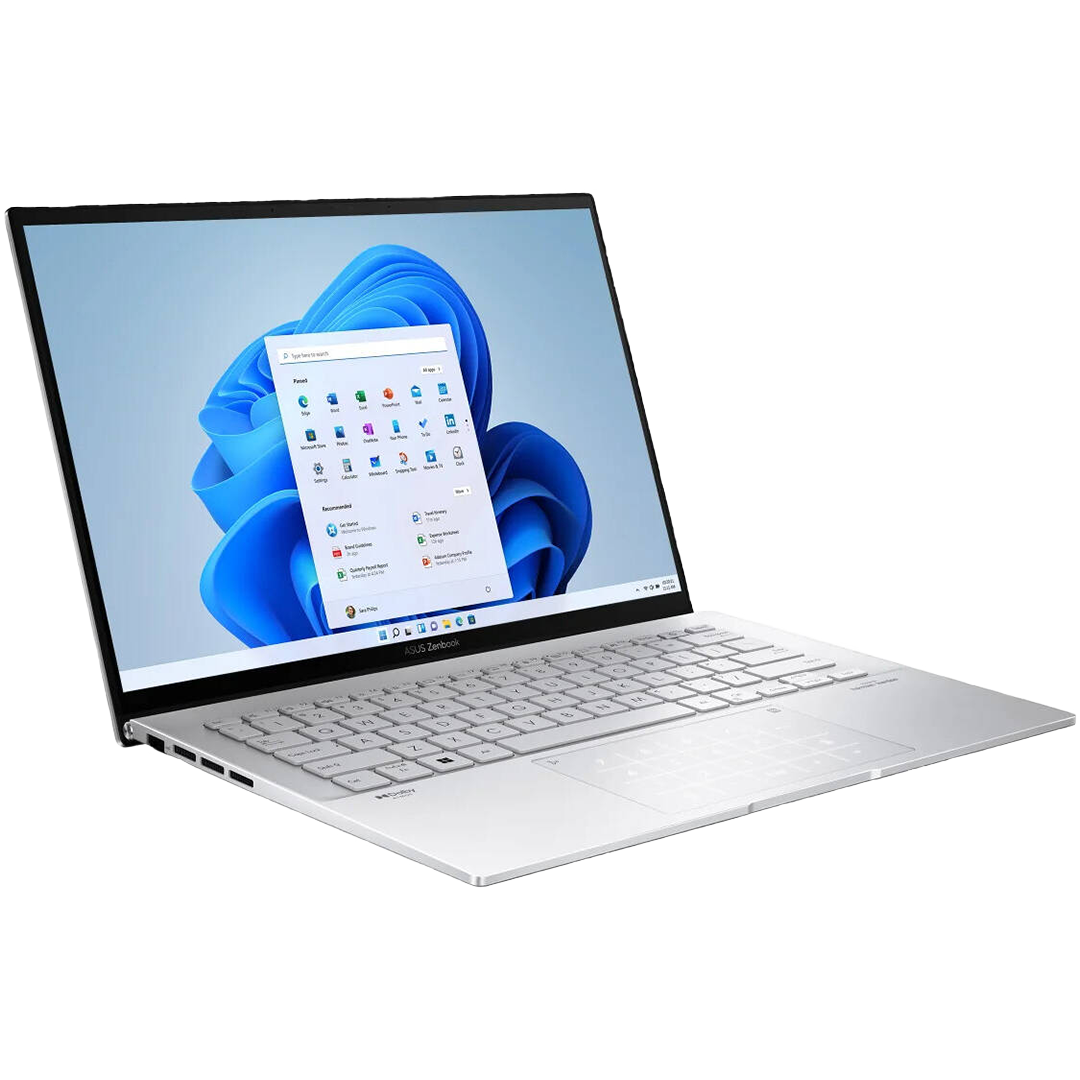
Asus Zenbook 14 OLED i9 16GB/1TB SSD
$9,498.00
Out of stock
Asus Zenbook 14 OLED | Intel i9, 16GB RAM, 1TB SSD, 2K Touch
Need a powerful laptop for work or creativity? The Asus Zenbook 14 delivers stunning performance. First, it features a brilliant 14-inch 2K OLED touch display. Because of this screen, colors look vivid and true. Also, the Intel Core i9-13900H processor handles heavy tasks fast. Moreover, 16GB of LPDDR5 RAM keeps multitasking smooth. Consequently, you can edit photos, stream, and browse at once. The slim, lightweight design fits easily in any bag. Finally, modern ports and Wi-Fi 6E keep you connected anywhere.
Key Features & Real-World Benefits
- Intel Core i9-13900H Processor – This chip has 14 cores and 20 threads. As a result, it reaches up to 5.4 GHz for speed.
- 16GB LPDDR5 RAM – Dual-channel memory handles many apps at once. So, switching between tasks feels instant.
- 1TB NVMe PCIe 4.0 SSD – This fast storage loads files in seconds. Therefore, boot times and app launches stay quick.
- Intel Iris Xe Graphics – Built-in visuals render photos and videos smoothly. Plus, they support light gaming and creative work.
- 14″ 2K OLED Touch Display – The screen shows 2880×1800 resolution with 90Hz refresh. Because of OLED tech, blacks look deep and colors pop.
- HDR & Color Accuracy – Peak brightness hits 600 nits with 100% DCI-P3 coverage. Moreover, PANTONE validation ensures pro-level color precision.
- Eye Care Certified – SGS certification reduces blue light for comfort. So, long work sessions cause less eye strain.
- 90% Screen-to-Body Ratio – The micro-edge design maximizes your viewing area. Therefore, content feels immersive and engaging.
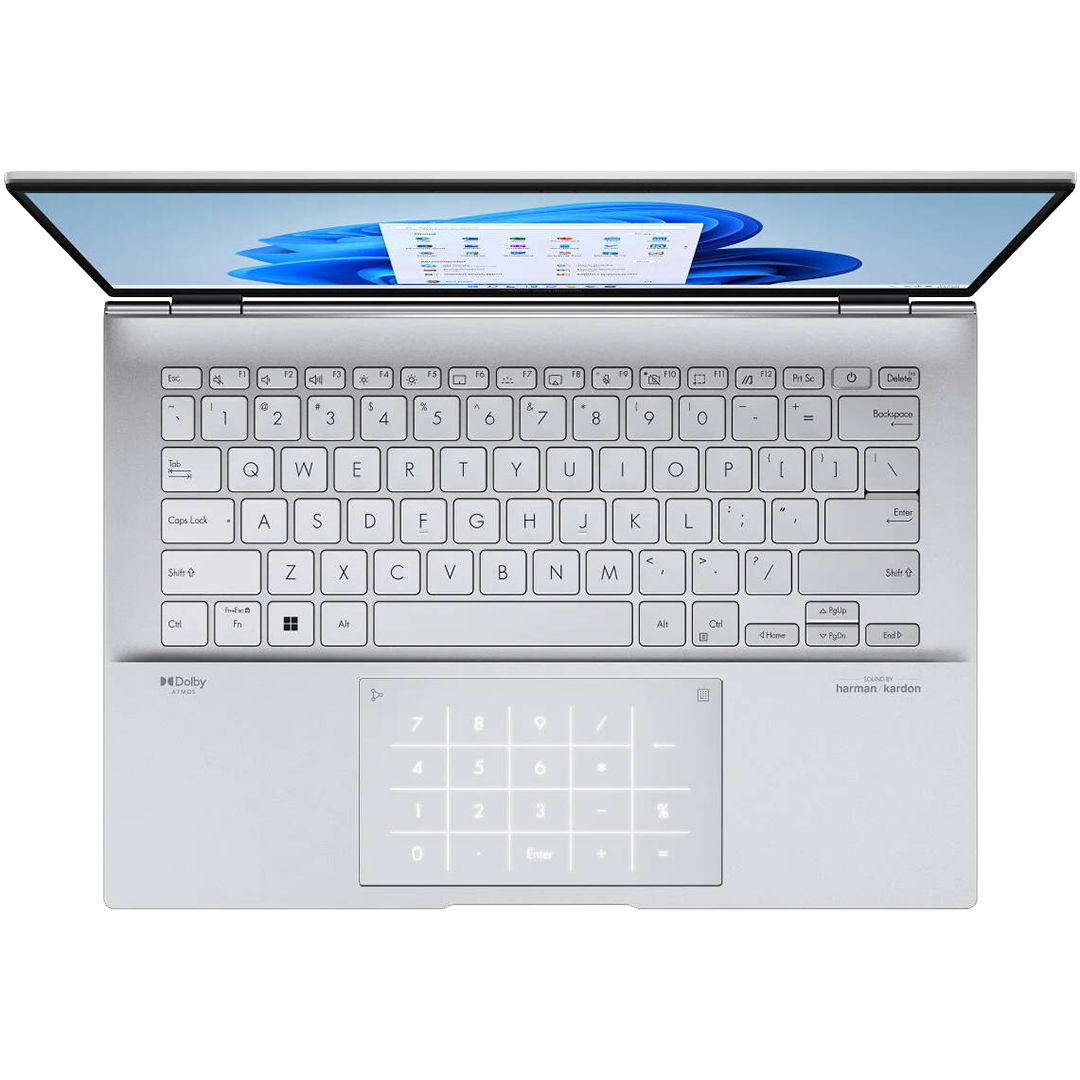
- Backlit Chiclet Keyboard – Keys have 1.4mm travel for comfortable typing. Also, the backlight helps in dim rooms.
- Windows 11 Home – This modern OS is ready right out of the box. Consequently, setup is fast and simple.
Connectivity & Port Options
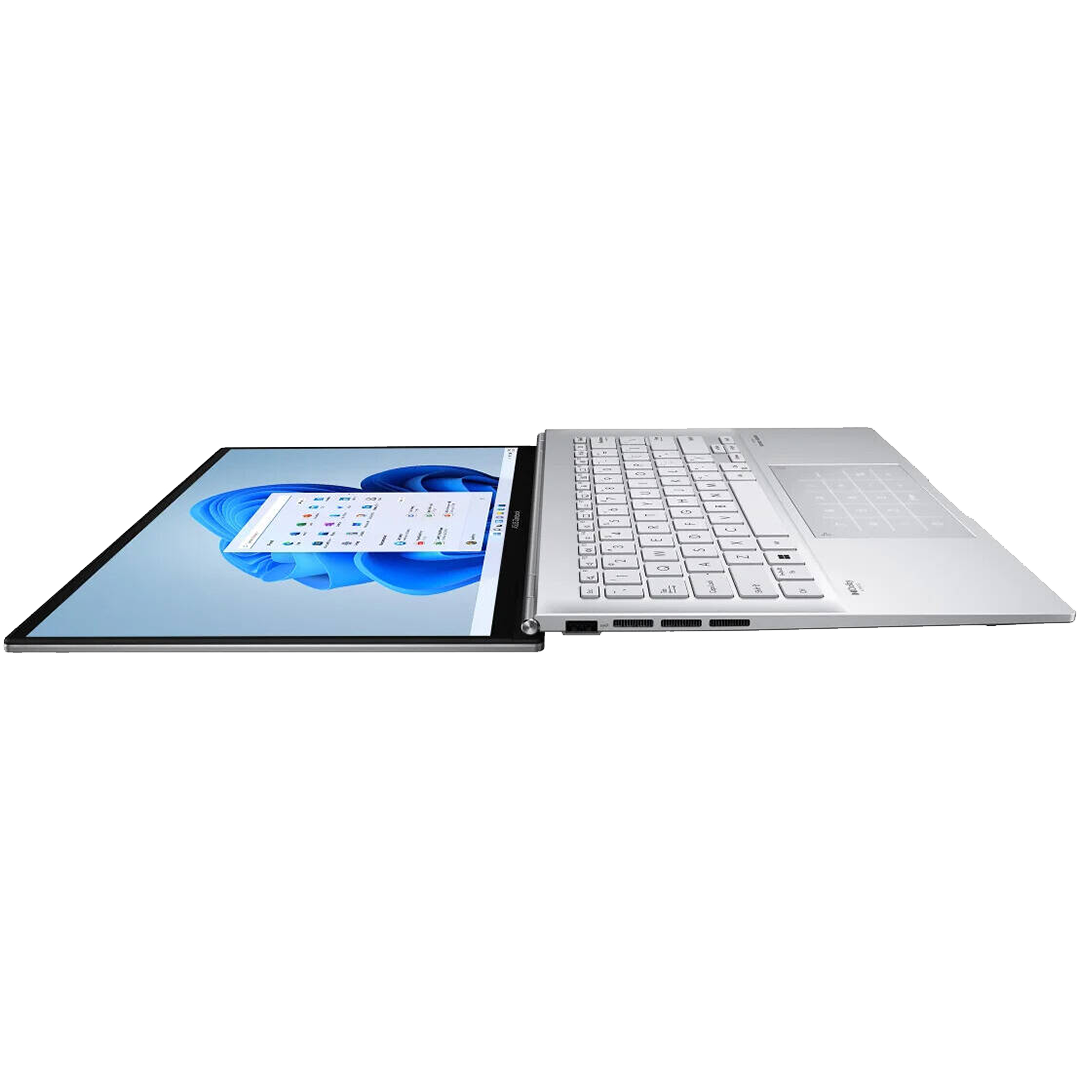
Stay ready for any workspace or creative setup. First, two Thunderbolt 4 USB-C ports enable fast data and charging. Next, the USB-A 3.2 slot fits your mouse or drive. Also, the HDMI 2.1 output links to 4K displays. Moreover, the microSD reader moves photos and videos quickly. Finally, the audio jack supports headphones for clear sound.


- Wi-Fi 6E + Bluetooth 5.3 – Get faster downloads and stable connections. Because of dual-band support, lag drops during video calls.
- 1080p FHD Camera – Look sharp on Zoom, Teams, or Meet calls. Therefore, remote meetings stay professional and clear.
- Harman/Kardon Audio with Smart Amp – Speakers deliver rich, loud sound without distortion. Plus, the array mic picks up your voice clearly.
- Cortana Voice Support – Use voice commands for hands-free control. So, you can multitask while typing or creating.
Ideal Use Cases
Creative Professionals – Edit photos, design graphics, or cut videos. Since the OLED screen shows true colors, your work looks accurate.
Business Users – Run spreadsheets, presentations, and video conferences. Because the i9 chip is fast, tasks finish quickly.
Students – Take notes, research online, and stream lectures. Moreover, the lightweight build makes campus carry easy.
Home Entertainment – Watch movies, browse the web, or game lightly. Therefore, this laptop covers all your leisure needs.
Technical Specifications
| Feature | Detail |
|---|---|
| Model | Asus Zenbook 14 (OLED) |
| Processor | Intel Core i9-13900H (14-core, up to 5.4GHz) |
| Memory | 16GB LPDDR5 RAM (dual-channel) |
| Storage | 1TB M.2 NVMe PCIe 4.0 SSD |
| Display | 14″ 2K OLED Touch, 2880×1800, 90Hz, 600 nits HDR |
| Color Accuracy | 100% DCI-P3, PANTONE Validated, 1.07B colors |
| Certifications | VESA DisplayHDR True Black 600, SGS Eye Care |
| Graphics | Intel Iris Xe Graphics (integrated) |
| Operating System | Windows 11 Home |
| Keyboard | Backlit Chiclet, 1.4mm key travel |
| Ports | 2× Thunderbolt 4 USB-C, 1× USB-A 3.2, 1× HDMI 2.1, 3.5mm audio, microSD |
| Wireless | Wi-Fi 6E (dual-band), Bluetooth 5.3 |
| Camera/Audio | 1080p FHD cam, Harman/Kardon speakers, array mic |
| Battery | All-day battery + fast charge support |
| Design | Slim, lightweight, premium aluminum chassis |
Why Choose the Asus Zenbook 14 OLED?
Professionals and creators trust Asus for premium laptops. Indeed, the Zenbook 14 blends power, portability, and beauty. Because it uses an OLED panel, visuals look stunning. Moreover, the i9 processor handles demanding apps with ease. As a result, you finish projects faster and with less wait. Also, the slim design fits in any bag. Therefore, you can work from cafes, offices, or home. Finally, Thunderbolt 4 and Wi-Fi 6E future-proof your setup.
Setup & Care Tips
- Power on and follow the Windows 11 setup steps. Then, connect to Wi-Fi 6E for fastest speeds.
- Calibrate the OLED display for color-critical work. Because it is PANTONE validated, accuracy is already high.
- Use Thunderbolt 4 docks for extra ports. So, you can add monitors, Ethernet, or storage easily.
- Keep the keyboard clean with a soft cloth. Plus, avoid liquids to protect the backlight.
- Enable Eye Care mode for long sessions. Therefore, blue light reduction helps prevent strain.
Frequently Asked Questions
Q: Is this laptop good for video editing?
A: Yes. Since it has an i9 chip and fast SSD, rendering stays quick. Therefore, it handles 1080p and light 4K work well.
A: Yes. Since it has an i9 chip and fast SSD, rendering stays quick. Therefore, it handles 1080p and light 4K work well.
Q: Can I connect two external monitors?
A: Yes. Use both Thunderbolt 4 ports with adapters. Then, you can extend your display across three screens total.
A: Yes. Use both Thunderbolt 4 ports with adapters. Then, you can extend your display across three screens total.
Q: Does the OLED screen burn in?
A: Modern OLED panels include anti-burn-in tech. However, avoid static images for very long periods to stay safe.
A: Modern OLED panels include anti-burn-in tech. However, avoid static images for very long periods to stay safe.
Q: Is the RAM or storage upgradeable?
A: The RAM is soldered and not upgradeable. But, the SSD can often be replaced for more space.
A: The RAM is soldered and not upgradeable. But, the SSD can often be replaced for more space.
Q: How is the battery life for travel?
A: Expect 7–9 hours of mixed use. Because OLED is efficient at dark content, battery lasts longer with dark mode.
A: Expect 7–9 hours of mixed use. Because OLED is efficient at dark content, battery lasts longer with dark mode.
Q: Does it support stylus input3?
A: Yes. The touch screen works with active styluses. So, you can sketch or take handwritten notes directly.
A: Yes. The touch screen works with active styluses. So, you can sketch or take handwritten notes directly.
Need Driver Support

| Weight | 6.5 lbs |
|---|---|
| Dimensions | 17.14 × 12.02 × 3.95 in |
Only logged in customers who have purchased this product may leave a review.
Related products
-
Lenovo IdeaPad Flex 5 2-in-1 Laptop
$5,598.00 -
Lenovo IdeaPad 1 15.6″ Laptop
$3,998.00 -
Samsung Galaxy Book 2 Pro Laptop
$6,998.00
Reviews
There are no reviews yet.